IDENTITY THREAT DETECTION & RESPONSE
Identity at the core.Threats in sight.
Identity-based threat detection for Web access and lateral movement.




MEET WUTHREAT IN DUBAI
GISEC GLOBAL 2026
16–18 Sep 2026
Dubai Exhibition Centre · Expo City
BOOTHH8-D130.4
Coverage and product roles
Find identity abuse
on the paths that matter
From the application edge to internal endpoints
See the identity and behaviour behind every access
Identity-based Web threat detection and blocking
Covers identity threat detection and non-human access governance together, so people, AI agents and automated access all leave a record and stay within bounds.
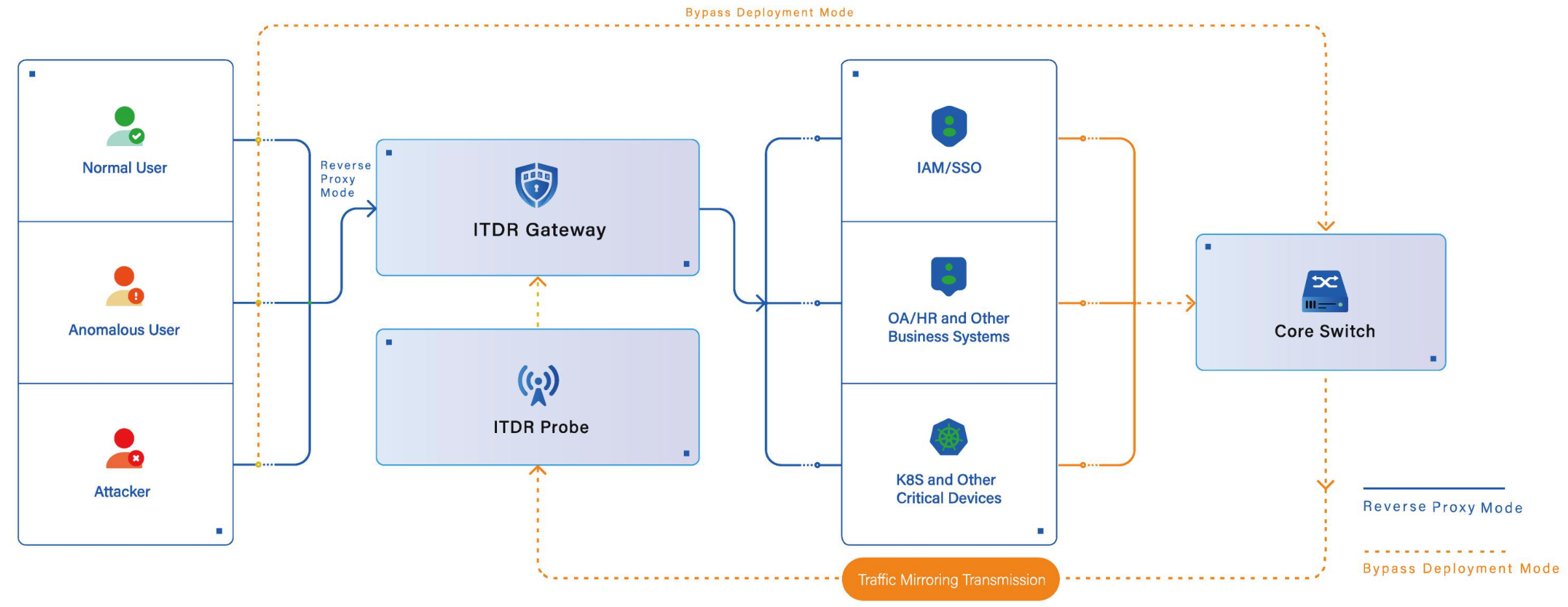
The diagram shows reverse-proxy mode; out-of-band deployment is observation-first. Requests are allowed once verified and permitted by policy; controls such as MFA require the identity system to act.
Lateral movement detection and response for internal networks
Protects Windows office endpoints, Windows / Linux servers and Windows AD servers. Correlates normal and anomalous system authentication with process and network evidence to detect credential theft, authentication abuse, privilege escalation, lateral movement, WebShell and C2 communication.
Office endpoints and servers are licensed separately by quantity; AD-specific services are charged separately. Detection and response vary by platform and configuration.
- Web security detection
- Vulnerability threat detection
- Non-human access governance
- AI agent protection
- Four-layer defence in depth
- Dual-engine deployment
- AD identity security
- Credential theft detection
- Authentication abuse detection
- Privilege escalation detection
- Lateral movement detection
- WuThreat AI
- AI-assisted triage
- WuThreat AI triage engine
- LLM-assisted triage
- Kerberos threat detection
- Alert noise reduction
- LLM fingerprinting
- 3D threat investigation graph
- Visual security orchestration
- NTLM relay detection
- Faster triage
- Identity knowledge graph
- Five-layer fingerprinting
- Attacker profiling
- AD CS threat detection
- Owner attribution
- Automated response guidance
- WEB-ITDR
- AI-driven threat detection
- Endpoint behaviour collection
- Identity security
- Identity access behaviour analytics
- AI bot defence
- Account security
- Identity behaviour correlation
- Unified identity security posture
- Internal identity and privilege control
- External identity threat detection
- Privileged infrastructure security
- Attack path investigation
- Threat alerting
- Crawler behaviour detection
- Adaptive CAPTCHA
- Brute-force protection
- Authorised on-demand response
- Credential stuffing protection
- Weak password detection
- SSO vulnerability probing
- Threat intelligence correlation
- Execution receipt review
- Risk scoring model
- Authentication API protection
- No-code policy configuration
Web Security · Gateway form factor · On-premises
WEB-ITDR

Identity-based Web threat detection and blocking
Puts each request back into its account, device and session context
Identifies anomalous logins, automated access and related web threats
Choosing between the two onboarding modes

Reverse proxyTraffic through the gateway
Traffic mirroringObserve a traffic copy
No application code changes
The connection method and the range of visible fields differ by deployment mode; out-of-band deployment is mainly observation and alerting.
Fields visible in one access event

IdentityHuman & machine accounts
Access contextDevice · Session · Request
Put every request in identity context
Schematic showing how the visible fields are organised; the actual field set depends on the deployment method and version.
From raw alerts to workable events

Detect anomaliesModels · Rules · Intelligence
Identity correlationGroup alerts into incidents
From signals to actionable incidents
Aggregation supports the judgement; it does not confirm causality, and how far alerts converge depends on their quality and on policy configuration.
Identifying and authorising non-human access

Identify & assignMachine identity · Owner
App permissionsAccess within scope
AI agents · RPA · Scripts · Service accounts
Automated access is not malicious by itself; the scope of identification and authorisation depends on the connection method and policy configuration.
Triage conclusions and response branches

Assess contextIdentity & access evidence
Policy actionsAllow · Verify · Block
Choose the response by policy
The diagram shows the reverse-proxy mode; out-of-band deployment is mainly observation and alerting, and blocking requires external integration.
The identity relationship view of an attack chain

Map relationshipsIdentity & access evidence
Trace activityEvent · Identity · Time
Trace threats through collected evidence
The graph is built from evidence already collected; its completeness depends on the connection scope and log visibility.
Endpoint Security · Endpoint product · On-premises
E-ITDR
Lateral movement detection and response for internal networks
Starts from a compromised endpoint to correlate identity and process evidence
Reconstructs the path taken across hosts and the assets already involved
Where the agent collects, and where it does not

Stable identityIndependent agent ID
Asset contextSnapshots · Visible gaps
Separate identity from network attributes
Collection capability differs by platform and configuration; gaps are marked as first-class data rather than quietly filled in.
The basis for judging one suspected movement

Identity anomaliesCredentials · Authentication
Host and network threatsWebShell · C2 communication
Rules · Protocol features · Intelligence
Correlates credential, authentication, remote execution and network clues. Protocol features and intelligence matches depend on the platform, collectors and active rules.
What makes up the evidence on one lateral movement path

Link evidenceAuth · Process · Connection
Rebuild the pathAligned time · Visible gaps
Trace activity across time and objects
Schematic. Collection capability differs between Windows and Linux by platform and configuration; a drawn connection does not mean causality has been confirmed.
The timeline of file activity and exfiltration

File activityIdentity & process context
Transfer evidenceNetwork data · Aligned time
Investigate recorded file activity
Based on recorded file activity and transfer statistics; steps that were not collected are not inferred.
The four stages from issue to review

Controlled responsePermissions · Approvals
Audit statusSend · Receive · Run · Review
Track every stage of the response
High-risk actions require permission and approval; a receipt may report success, failure or timeout, and does not mean the threat has been eliminated.
Investigation and the evidence behind it
One suspicious activity
and how a conclusion is reached
Trigger, correlated evidence and the execution receipt on one timeline
Every step traces back to a concrete field rather than an impression
Credential abuse reveals lateral movement clues
Credential access and anomalous authentication on an office endpoint are correlated with remote execution evidence to identify suspected lateral movement.

What you see here
- Credential theft
- Auth abuse
- Lateral movement
Account, authentication, process and connection in one place
Collected evidence is organised by time and object relationship, putting accounts, processes and connections on one line.

What you see here
- Account
- Auth events
- Process
The movement path and the assets involved
The suspected path toward the server and the assets along it are laid out; steps collection did not cover are marked separately.

What you see here
- Attack chain
- Assets
- Gaps
Executed under authorisation, then the receipt is checked
High-risk actions go through approval; a receipt reports success, failure or timeout, and each is reviewed.

What you see here
- Approval
- Status
- Audit trail
Detects unregistered or out-of-scope non-human access
Automation signals, registration and application permissions reveal unregistered access, scope violations or unusual data collection.

What you see here
- Unregistered access
- Scope violation
- Unusual data collection
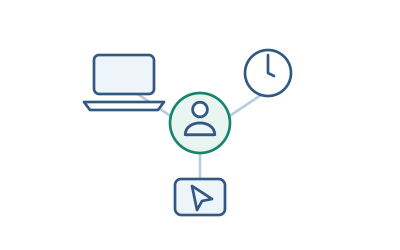
Back to the account, device and session context
Account, client fingerprint, session and registration records help trace the automated identity and its accountable owner.
What you see here
- Account
- Device
- Session
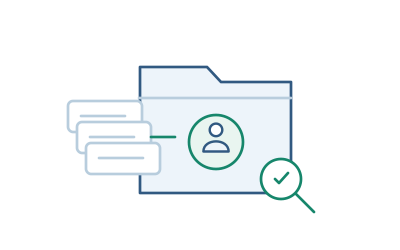
Which kind of non-human identity it is
Uses identification evidence to distinguish AI agents, RPA and scripts and the service accounts they use, then checks registration and application permissions.
What you see here
- Basis
- Registration
- Scope
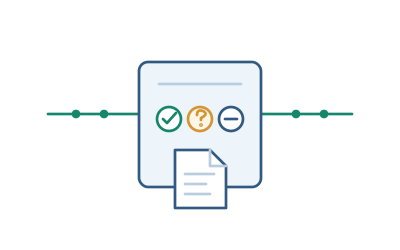
Allowed or blocked by authorised scope, and recorded
Registered, in-scope access is allowed; out-of-scope access is challenged or blocked by policy, and out-of-band deployment needs integration.
What you see here
- Action
- Conditions
- Record
These are product demonstration scenarios, shown to explain how evidence supports a judgement. They are not one customer’s actual incident record, and any relationship not marked in the diagram is treated as inferred.
Common scenarios
Start from the one risk
you care about most
Every scenario lands on a process you can verify, not a concept
Preconditions, boundaries and the way to check are all stated plainly
01
WEB-ITDR
Authentication passed — but is this access trustworthy
Puts the request back with its account, device, session and request evidence to see what happened after sign-in.
- Passing authentication is not the same as trusted access
- Anomalies outside known attack signatures
- Alerts that cannot be traced to an identity
All this automated access — who is actually behind it
Identifies, registers and authorises AI agents, RPA, scripts and service accounts before any talk of blocking.
- Automation arriving on employee credentials
- An incomplete inventory
- Sanctioned automation caught by mistake
An endpoint is compromised — how far has it moved
Correlates account, authentication, process and connection to reconstruct the cross-host path and the assets involved.
- Legitimate credentials plus built-in system tools
- A cross-host path that cannot be reconstructed
- No answer to what was actually lost
So many alerts — which one comes first
Aggregates raw alerts by identity and gives the basis and a suggested action; the conclusion is still confirmed by a person.
- Alert volume and noise
- Triage that depends on individual experience
- Nothing to show as evidence afterwards
Focused solutions
A focused solution addresses one specific technique; the four scenario solutions above address an environment and a process. The two complement each other.
Deployment and onboarding
Confirm the environment
then choose where to start
We state the preconditions and limits before onboarding, not after
Both deploy on-premises and complement what you already run
| Item | WEB-ITDR Business access entry | E-ITDR Internal endpoints |
|---|---|---|
| 01Where it connects | Reverse proxy / mirroring Pick the mode that suits, no code changes | Endpoint agent Deployed on supported Windows and Linux |
| 02What it sees |
|
|
| 03What it can do | Allow · Challenge · Block On the proxy path; out-of-band needs integration | Isolate · Collect · Block Authorised command, agent executes and reports |
| 04Existing systems | Complements, never replaces IAM/SSO, WAF and SIEM keep their jobs | Complements, never replaces Coexists with your EDR, no uninstall |
| 05Check before onboarding |
|
|

Verify with a scenario, not with a spec sheet
Onboarding runs as “confirm environment and scenario → verify on a small deployment → expand on the result”, and a pilot can establish coexistence, resource use and policy compatibility with existing EDR.
- Confirm environment and scenario
- Deploy to a small scope
- Detection and evidence correlation
- Authorised response
- Re-test to confirm
Agree the test scenario, the start and end times, the evidence standard and the runtime conditions before the pilot begins. No effectiveness figures are reported before testing is complete.
Materials
Read the material first
then decide whether to talk
You can understand both products without talking to us first
Connection, detection principles and industry practice are all written down
Practice · contact details required
Industry ITDR solutions

ITDRIndustry solutions
Identity threat detection and response organised by industry environment: the setting, the process and the way to verify each get their own section, ready to hold against your own situation.
- Environment
- Process
- Verification
Used only to send you the document and to answer what you find in it.
These three open directly
WEB-ITDR product overview Connection methods, identity-based detection and the conditions for response E-ITDR product overview Lateral movement detection, investigation and response, explained in full ITDR dual-engine detection What each detection path covers, and how the two work togetherNews
The product keeps moving
so does the research
We write up the techniques and evidence we see in real engagements
And say what each product release actually solved
Demo and consultation
Assess your identity defences
against one real scenario
Tell us the one risk that actually worries you
We build the demo around it, never around a generic sample
-
01
A demo environment built for your scenario
The risk you care about becomes the subject, not a generic sample.
-
02
All four steps, start to finish
We stop at each step to look at the evidence fields, gaps included.
-
03
The checklist to work through before onboarding
Network path, privileges, collection configuration and runtime impact, stated up front.
Ready when you are
We start from the scenario — nothing about your environment is needed for this step.
- Consultation +86 10 8071 6066
- Email services@wuthreat.com

Scan with Feishu to consult